
ERP & business software
Connect the work your team does every day.
Replace disconnected records with a business system for orders, documents, fulfilment and reporting, built around your actual workflow.
Best fit: Suppliers, distributors, print studios and retailers whose processes have outgrown spreadsheets or disconnected applications.
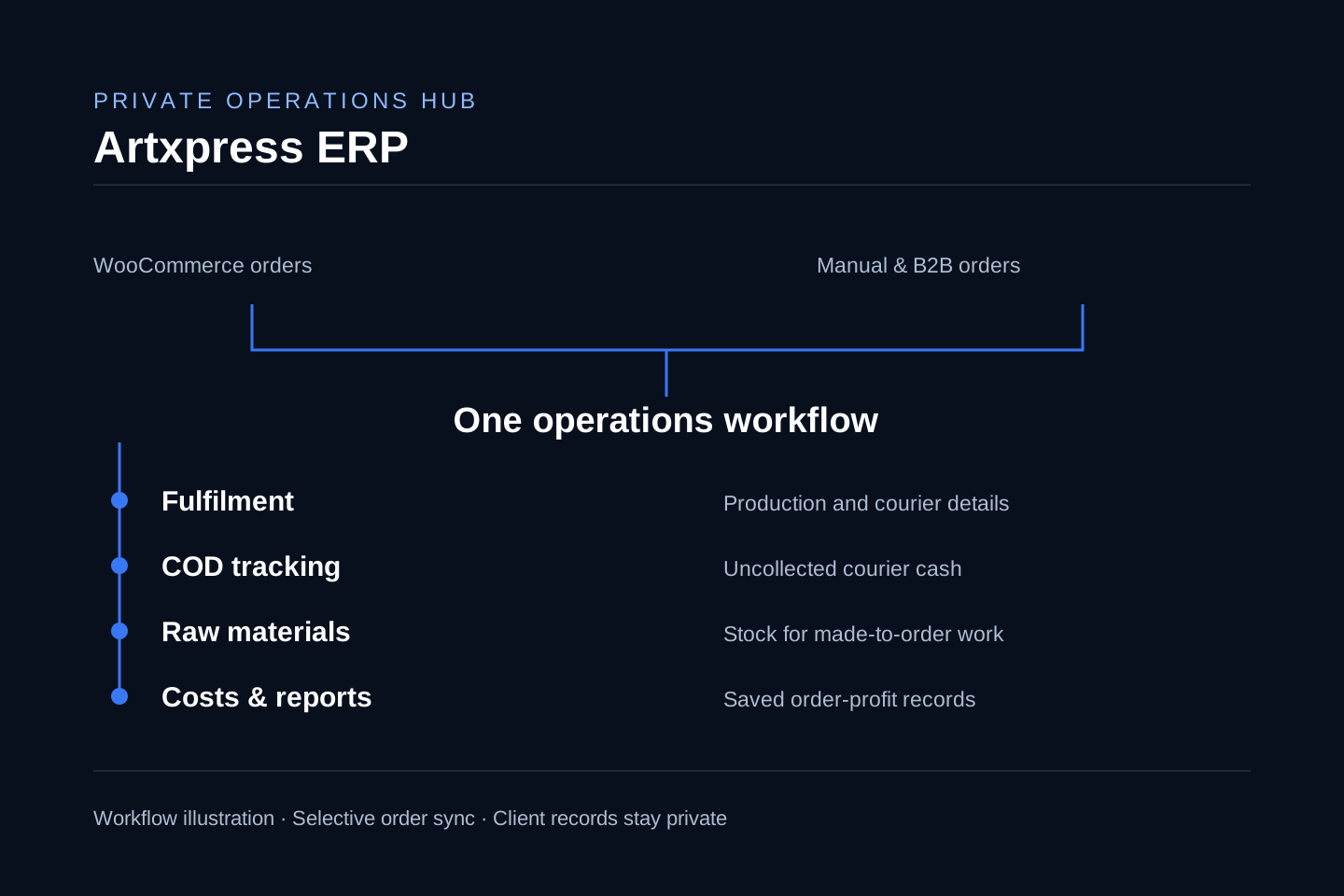
WooCommerce and manual orders connected to fulfilment, COD, raw materials and order-profit records. Workflow illustration; client data remains private.
Inspect the evidenceWhen this work matters
Make the workflow visible before building software.
- 01
Teams enter the same requirement in several files
- 02
Orders and documents are difficult to trace
- 03
COD, costs or raw materials are tracked separately
- 04
Existing software does not fit the business workflow
Focused scope
A connected system with responsibilities your team understands.
Discovery confirms what belongs in the project and what should remain outside it.
Customer, order and operational data models
Authenticated team access
Quotation, billing or fulfilment modules
Approved commerce integrations
Data migration, training and handover
Decisions before delivery
Set the record, access and rollout rules early.
Good implementation follows clear business, content and ownership decisions.
Start with the work
Map the people, documents, approvals and exceptions before deciding which modules belong in the system.
Define reliable records
Agree data ownership, import rules and the records used for operational and financial decisions.
Roll out in stages
Validate the first workflow with real users before expanding the system or replacing existing processes.
Delivery sequence
From operational discovery to staff handover.
The depth changes with the project; the order protects the important decisions.
- 01
Workflow and data discovery
- 02
Module scope and acceptance criteria
- 03
Build and integration
- 04
Representative workflow and access testing
- 05
Migration, staff training and rollout
Before we begin
What to settle before an ERP project.
Specific answers follow discovery, but these principles guide the recommendation.
Can you connect an ERP to WooCommerce?
Yes. Artxpress Hub includes selective WooCommerce order import. Your project defines sync direction, permissions, failure handling and which records remain authoritative.
Can you replace our spreadsheets?
We first review the files, calculation rules and exceptions. A migration plan defines cleanup, field mapping, checks and the point at which the new workflow becomes authoritative.
Does every business need a full ERP?
No. A focused quotation, order or fulfilment system may solve the current problem. Discovery identifies the smallest useful scope and whether existing software would be a better fit.
Will our staff get training?
The agreed scope includes a handover for the workflows being delivered, with user responsibilities and operating instructions. Ongoing support is scoped separately.
Can you show real client records in a demo?
Client records stay private. We can discuss the workflow and agree a demonstration using sample data suitable for sharing.
Start with the business need
What should your website or system help you do?
Tell us about your customers, your team and the problem you want to solve. We will review the requirements and recommend a focused next step.
Discuss a project Request a website reviewUsually within one business day