In this guide
WooCommerce ERP integration connects your online store with the system your team uses to manage operations. Depending on the project, that connection may import orders, update stock, share customer records or return fulfilment information to the store.
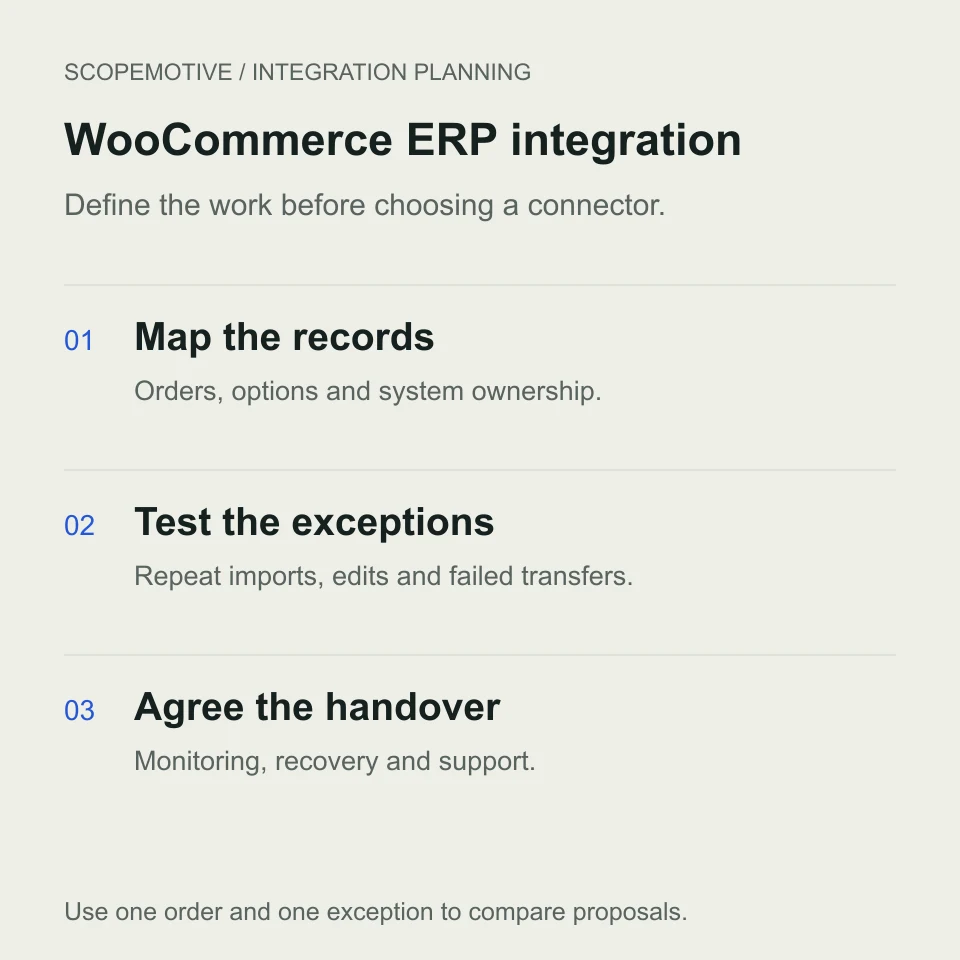
Before hiring a developer, decide which of those tasks you need first. Ask them to demonstrate how one order reaches the operations team and what happens when the transfer fails or the order changes.
A useful brief names the records, rules and people involved. This guide explains how to prepare that brief, compare implementation options and agree the checks before launch.

Start with the operational task you need to improve
Describe one example of the work your team repeats. Perhaps staff copy WooCommerce orders into a spreadsheet, match product options to production instructions or reconcile courier collections separately from fulfilment.
Choose the first workflow you want the integration to support. An initial release could import selected orders for staff to review. Another project might also need stock updates, shipment references or account pricing.
Write a completion condition, such as “An eligible order appears in the operations queue with its product options, quantity, shipping charge and original store reference.”
That sentence gives candidates something they can demonstrate and estimate. Our custom ERP development service explains how we scope the surrounding business workflow.
Decide what the integration will synchronise
WooCommerce exposes order, customer, product, variation and refund resources through its REST API. Your developer must also confirm what the destination system can receive and return. Access to both systems is part of discovery. WooCommerce REST API documentation
Use a record map before agreeing to “full sync”.
| Record or field | Decision for the brief |
|---|---|
| Orders | Which statuses qualify, and are historical orders included? |
| Products and variations | How are store IDs and SKUs matched to operational items? |
| Quantities and options | Which units, sizes, materials and custom fields must be preserved? |
| Customers | Which details are needed, and how are existing records matched? |
| Stock | Which system owns availability and when should the store receive updates? |
| Fulfilment | Which shipment references or statuses should return to WooCommerce? |
| Refunds and cancellations | Who approves the change and what happens to work already started? |
Assign an owner for each field that can change in both systems. For example, if staff correct a delivery address after import, decide whether that correction belongs in the store, the ERP or both. Agree how a later update avoids overwriting the correction.
Ask the developer to inspect an anonymised order containing your actual product options. An artwork upload, engraving instruction or delivery date supplied by an extension may need its own mapping. Agree whether the destination needs the value, a file reference or an attachment, and test the result with the extension you use.
Decide how stock availability will be calculated
Write down which quantity buyers should see. Physical stock, stock reserved for existing orders and stock available to sell can differ. For example, if ten units are on the shelf and three are reserved, agree whether the store should offer seven and when that number changes.
Include manual orders and other sales channels in that decision. For a business that manufactures after ordering, discuss whether availability comes from finished goods, materials or a production rule. Ask how the integration handles a cancelled reservation and how staff see a delayed update.
Agree an update interval that suits the business and a response when information is stale. Ask the developer how missed events and simultaneous orders will be checked against the owning system.
Compare an existing connector with custom integration
An existing connector is worth evaluating when it supports your exact ERP, store setup and buying rules. Ask for a demonstration using your product variations, payment methods and required custom fields.
Check the licence, supported versions, update arrangements and what the subscription includes. Identify who handles a problem that crosses the connector, store and ERP.
Custom integration becomes a candidate when the required rules or destination system need additional behaviour. A developer may also extend a connector or build a focused import around an existing business application.
Give each candidate the same order and exception. Ask them to explain what already works, what needs configuration, what requires development and how staff will maintain the connection. Compare the total delivery and operating responsibilities in writing.
Use a relevant project to examine the scope
In ScopeMotive’s Artxpress ERP project, the operations hub includes selective WooCommerce order import alongside manual orders, fulfilment queues, cash on delivery tracking, raw materials and saved order costs.
The project starts from how the print business produces and delivers its products. Its design catalogue and physical raw materials have different operational roles. A catalogue item alone does not define the material available for production.
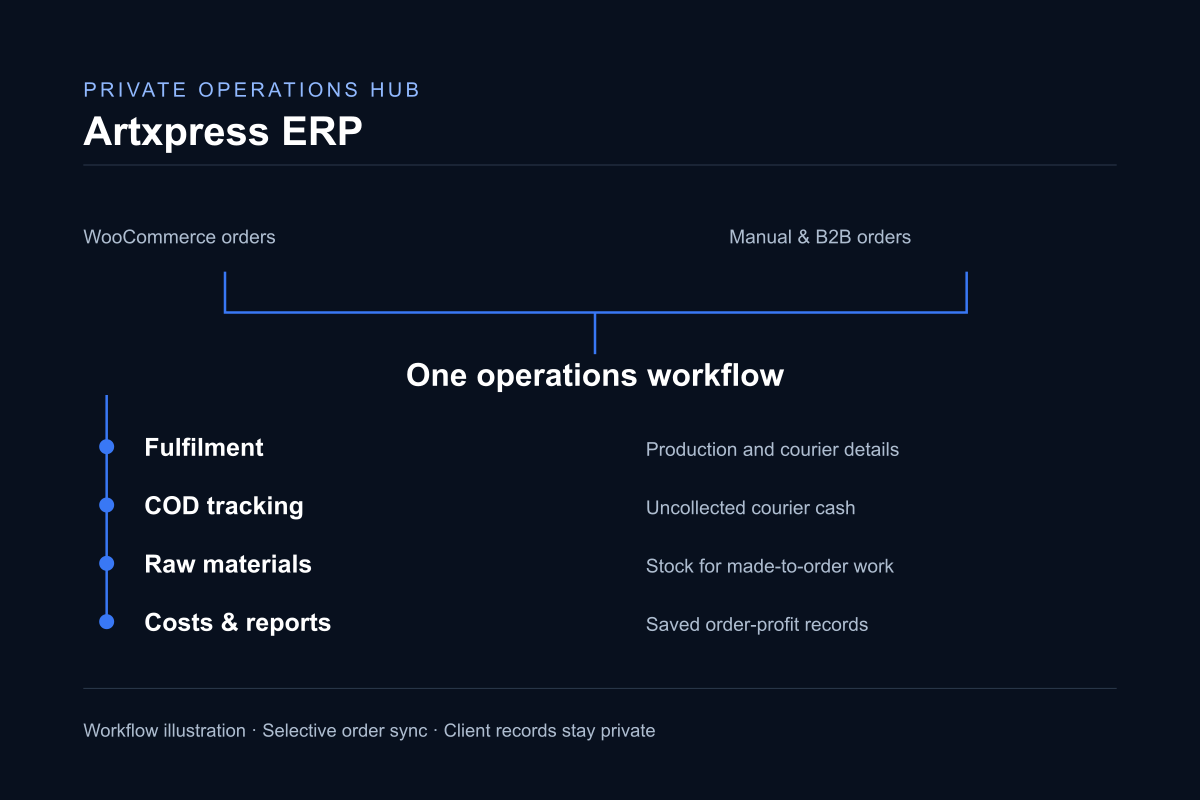
When discussing a similar project, ask to see which records the integration imports and how the operational team reviews them. Agree stock or fulfilment updates separately where your project needs them.
Specify failed transfers and repeat imports
A connection needs a recovery process as well as a successful transfer.
For an illustrative example, consider a paid order containing two product variations. The ERP saves the order, but the transfer is interrupted before the integration records a confirmed success. If staff repeat the import, the agreed result should be one operational order with the original store reference.
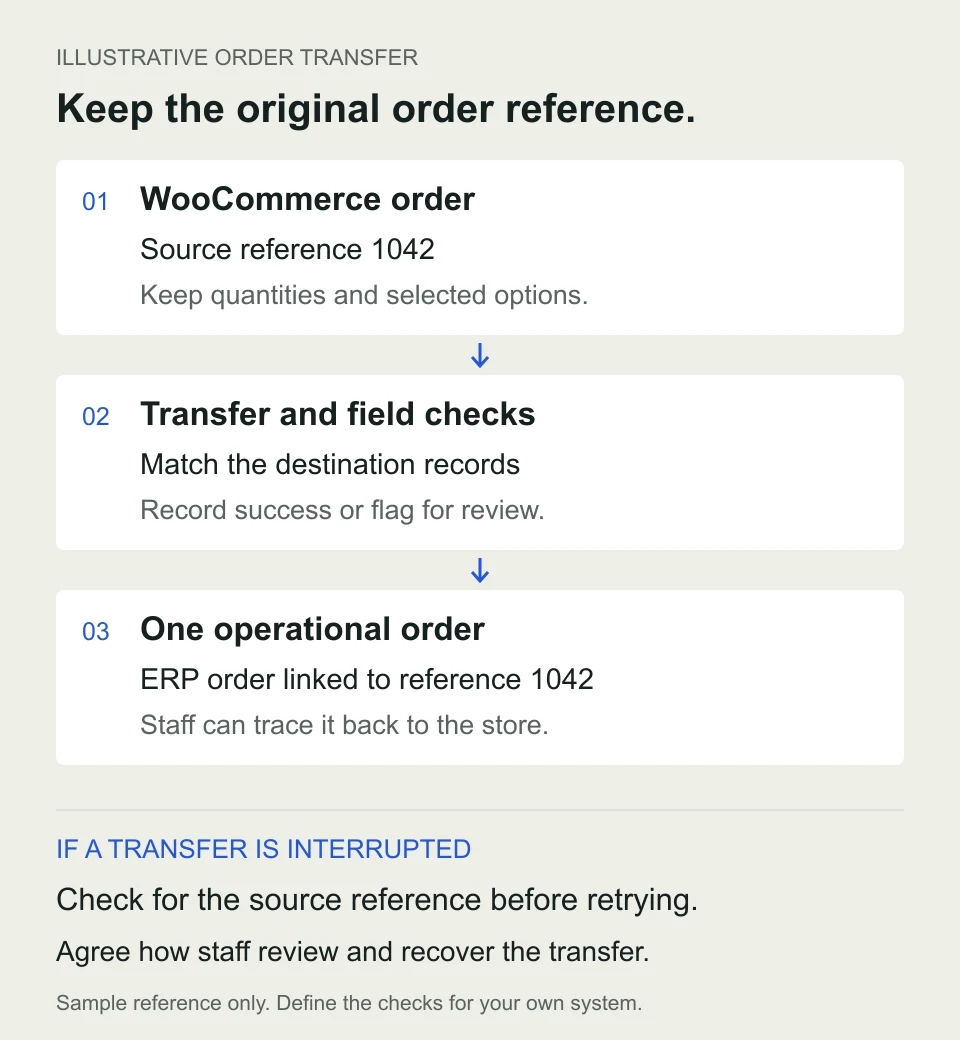
Ask the developer how imported records are identified, how corrections are applied and how staff recognise an incomplete transfer. Write the expected result into the acceptance checks.
WooCommerce webhooks can notify another system when events occur. Its documentation explains that repeated delivery failures can disable a webhook and that delivery logs are available for troubleshooting. The proposal should explain who monitors failures and how missed records are found and recovered. WooCommerce webhook documentation
The developer may use event notifications, scheduled API checks, manual selection or a combination. Ask how the proposed method meets your agreed update times and handles a period when the ERP is unavailable.
Agree payment and fulfilment rules
Map the actual statuses and decisions your team uses. A paid order, an unpaid bank transfer and a cash on delivery order may require different operational handling.
For each, decide when staff can start work, what happens after cancellation and which system can mark the job complete. If a refund happens after production or dispatch, identify who reviews it and which records need updating.
Ask how shipping charges, discounts, currencies and tax fields are transferred and checked. Your responsible business team should approve the interpretation and the sample totals.
Keep messages and status changes in the test plan. Confirm whether an update could trigger a customer notification, and verify the intended behaviour before launch.
Agree connection access and ownership
Ask the developer which permissions the integration needs and who will manage that access after handover. WooCommerce API keys can have read, write or combined access and are associated with a WordPress user. Choose permissions that match the agreed operations and document who can revoke or replace them. WooCommerce API access guidance
For example, importing orders and writing fulfilment updates back to the store require different access decisions. Include credential renewal, staff departures and recovery after access is revoked in the operating instructions.
What affects WooCommerce ERP integration cost?
The cost depends on the systems being connected, their access methods and the rules the integration must follow. To compare quotations, ask each developer to price the same records, transfer directions and exceptions.
| Scope item | Information needed for an estimate |
|---|---|
| Discovery | Store and ERP versions, available interfaces, sample records and required outcome |
| Mapping | Product IDs, variations, custom fields, customer matching and calculation rules |
| Transfer | Eligible orders, update frequency, transfer directions and historical records |
| Recovery | Repeat imports, failed transfers, alerts and staff review |
| Verification | Test environment, representative transactions and acceptance evidence |
| Ownership | Hosting, connector licences, documentation, training and support |
Request an initial delivery fee and a separate list of recurring charges. Include connector subscriptions, hosting or middleware, monitoring and maintenance where applicable. Ask what happens when an update to the store or ERP requires a change.
ScopeMotive estimates integrations after reviewing the workflow and available access. For a useful first conversation, send the system names and an anonymised example order with the fields you need.
Test the integration with your staff
Ask the person who handles orders to run the tests using their intended access. Include these scenarios in the brief.
- An eligible order containing variations and the required custom fields.
- A repeated import of an order that already exists.
- A transfer interrupted while the receiving system is unavailable.
- An edited address or quantity after the original import.
- A cancelled or refunded order with work already in progress.
- An item that cannot be matched to the destination catalogue.
For each scenario, agree the expected records, who receives an alert and how the team resumes work. Review transferred totals and missing inputs before accepting reports that depend on them.
If you also need to move existing spreadsheets into the ERP, use our ERP migration checklist to plan cleanup, test imports and the changeover.
Prepare a brief an integration developer can quote
Share your WooCommerce setup, the ERP name and version, the existing connector if there is one, and the main task you want to improve. Explain which records move in each direction, how quickly they need to update and who handles exceptions.
Use this outline when requesting proposals.
| Brief field | What to supply |
|---|---|
| Systems | WooCommerce version, relevant extensions and destination ERP or business application |
| First outcome | One operational task and a written completion condition |
| Records | Fields to move, their owner and transfer direction |
| Timing and volume | Typical and peak order volume, update interval and any historical import |
| Exceptions | A duplicate, an edited order and a failed transfer to demonstrate |
| Acceptance and support | Staff approver, launch checks, monitoring owner and support expectations |
Bring anonymised sample orders and field names to discovery. Use the developer’s agreed access process for credentials once the scope is clear.
ScopeMotive builds custom business systems and commerce integrations, working directly with founder Hussain Khuzema through scoping, development and handover.
Explore our ERP and integration work, review the Artxpress ERP example or discuss your WooCommerce integration.