In this guide
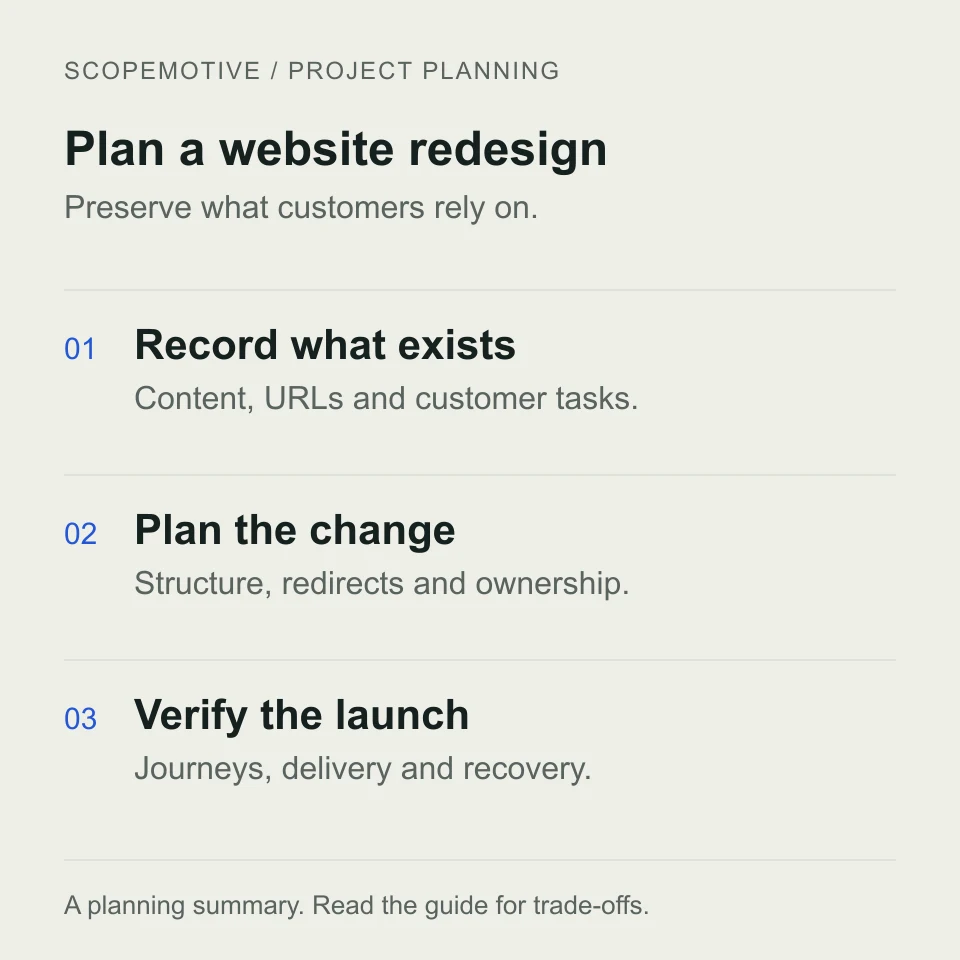
A redesign should solve a clear business problem while preserving the parts of the current site that customers rely on. Before commissioning new layouts, record what works, what fails and what needs to move. Use this checklist to agree the work and the evidence you will review before launch.
Define the problem and keep a baseline
Write down the customer task that is difficult today. Examples include finding the right product, understanding a service, submitting a useful quotation request or completing an order on a phone. Record a reproducible example for each problem.
Review Search Console and your analytics, where available, for landing pages, relevant search queries and completed enquiries. Note consent and tracking limitations. Low recorded traffic alone does not establish that the design is the cause. Keep dated screenshots and baseline measurements so later comparisons use the same conditions.
Inventory what must survive the move
| Item | What to record | Decision needed |
|---|---|---|
| Public URLs | Pages, products, categories, files and important external links | Keep the URL, redirect it or intentionally retire it |
| Content and media | Approved copy, product information, images and downloads | Retain, improve or replace, with an owner |
| Customer journeys | Enquiries, checkout, quotation lists and account actions | Retain the behaviour or document the replacement |
| Connections | Mail delivery, payments, inventory and CRM or ERP links | Agree access, data ownership and launch checks |
| Operational access | Domain, hosting, CMS, analytics and backups | Confirm who controls each account and renewal |
For each retained page, identify its purpose and the customer action it supports. A useful page should not disappear simply because it does not fit the new navigation. Avoid moving private records into a shared planning document.
Test the proposed structure before polishing screens
Ask someone unfamiliar with the project to find a service, understand a product and locate the next step. Use realistic tasks on both a phone and desktop. Check that headings, labels and calls to action make sense without someone explaining them.
For a supplier business, decide whether customers need a quotation or checkout using our B2B buying-model guide. For a store, use the e-commerce brief to capture product options, delivery and order exceptions before design approval.
The MJ Trader project illustrates a quotation-led catalogue, while Lasting Details illustrates configurable print products. The appropriate structure follows the task customers need to complete.
Map changed URLs before launch
Keep useful existing URLs where practical. Where a URL changes, map the old address to its most relevant replacement and implement the appropriate permanent redirect. Do not send every retired product or article to the homepage.
Google’s site-move guidance recommends mapping old URLs to new ones and redirecting directly to the destination. Update internal links, canonical URLs and the sitemap to reference the final addresses. Check important images and downloadable files as well as HTML pages.
Google notes that search visibility can fluctuate while a move is processed. Redirects and careful planning reduce avoidable errors; they do not guarantee unchanged rankings.
Example URL migration decisions
These example paths illustrate a mapping sheet; they are not changes to ScopeMotive’s routes.
| Existing URL | Planned action | Reason |
|---|---|---|
/services/ |
Keep /services/ |
Its purpose and address remain useful |
/old-shop/blue-mug/ |
Redirect to /products/blue-mug/ |
The same product has a new address |
/old-services/ |
Redirect to the matching new service page | Preserve a relevant next step |
/retired-download.pdf |
Return a genuine not-found response if there is no replacement | Avoid pretending an unrelated page is the missing file |
Test each changed URL directly and check that any redirect reaches the intended final page. A mapping sheet is a plan; successful browser and server checks establish whether it was implemented.
Agree launch acceptance checks
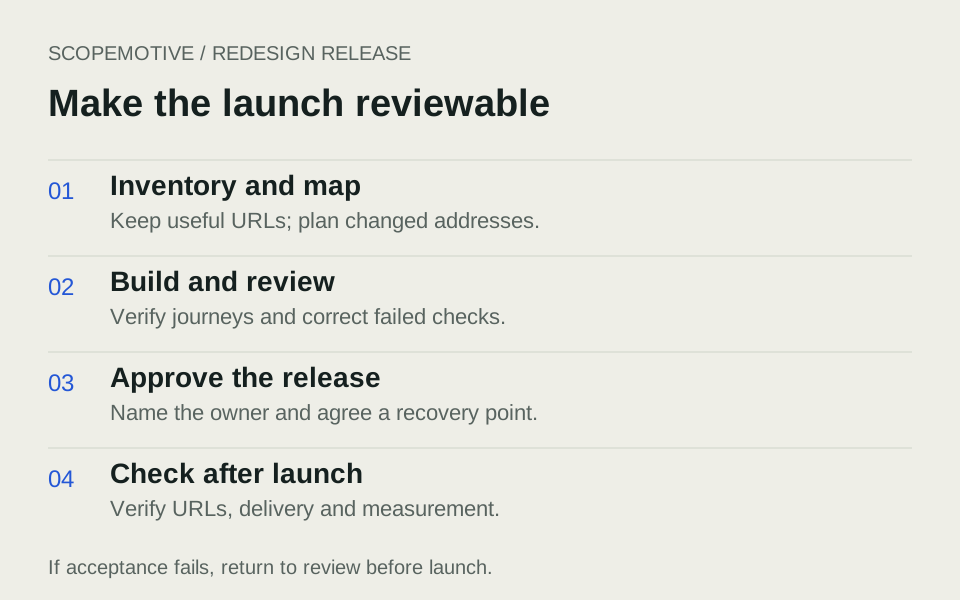
- Content: Confirm contact details, service claims, product information and policy links.
- Mobile use: Check navigation, readable text, forms, product choices and any horizontal overflow.
- Accessibility: Check keyboard operation, visible focus, field labels and understandable error messages.
- Enquiries: Submit an agreed test and verify actual delivery to the monitored inbox.
- Orders: Where applicable, verify the supported payment, delivery and confirmation journeys.
- Search readiness: Check indexability, final canonical URLs, redirects and sitemap entries.
- Measurement: Confirm consent controls and the agreed conversion events without sending form contents to analytics.
- Recovery: Identify the backup, rollback decision and person responsible for deployment.
Use an acceptance log with columns for the task, expected result, actual result, reviewer and unresolved issue. Agree which issues prevent launch rather than making that decision under time pressure.
Make the handover usable
Confirm who owns the domain, hosting, code and CMS accounts. Ask for editing instructions, renewal details, backup responsibilities, restore arrangements and the process for reporting faults. Record the support period and how later improvements are estimated.
After launch, check the old URLs, real enquiry delivery and key journeys again. Monitor Search Console for indexing and redirect issues, and compare relevant enquiries over a meaningful period. Review the effects alongside seasonality, campaigns and any tracking changes before attributing a result to the redesign.
Questions business owners often need to settle
Do we need to replace the whole website?
Start with the failure you can demonstrate. Improving navigation, product information, forms or performance may solve it without replacing the platform. A rebuild makes sense when the requirements cannot be met dependably within the current structure and maintenance arrangement.
Can we keep our domain and existing pages?
A redesign does not inherently require a new domain or new URLs. Confirm account ownership and retain useful addresses where practical. If an address changes, include the mapping and redirect work in the scope.
How long should we allow?
Agree dates around content readiness, approval availability, integration access and the migration rehearsal. Ask for milestone dates and dependencies rather than treating a single launch date as an unconditional promise. Keep the current site available while the replacement is reviewed.
Copy this redesign scope template
| Section | What to record |
|---|---|
| Pages and content | List the priority pages and name the person who will supply and approve each page. |
| URLs and redirects | Record each existing URL, its proposed destination and who will test the redirect. |
| Integrations | List each form or system, where data goes and who handles failures. |
| Acceptance | Write one pass condition for each critical task. For example, a quote request containing three products reaches the sales inbox with all three quantities. |
Bring these items to the first discussion
Prepare your current URL, three customer tasks, a list of known problems, the pages you need to retain and the systems the website connects to. Add your content owner and timing constraints. Our cost-comparison guide helps turn that brief into comparable proposals.
Explore website redesign or request a review of your current website.